Participating in research at BrainWorks
The most important part of any research study is the people who generously volunteer to participate. Researchers at BrainWorks are always looking for participants! Participating in research is a fun way to learn more about your own brain, while helping the scientists at BrainWorks understand more about how we perceive and understand the world. Participation is always voluntary. Participants receive monetary compensation for their contribution, and studies generally take at most a couple of hours. By registering for the BrainWorks Sona site, you can easily find and register for brain research opportunities. Research groups will post opportunities to participate on the site. Simply sign up for any of interest to you! When you sign up for a study, you will be identified to the researchers only by a numeric code—no personal information will be shared unless you provide it.
All studies take place at BrainWorks, located on the first floor of 100 College Street, New Haven, CT, with a dedicated entrance and free parking. BrainWorks is a space for research on the brain, mind, and cognition within the Center for Neurocognition and Behavior at the Wu Tsai Institute at Yale.
Create a Sona account
Please click here to request a new user account in the BrainWorks Sona system. This will allow you to see and register for research opportunities posted by individual research labs.
Fill out contact information, including preferred email address, phone number, and a memorable user ID. Using an accessible email address is vital as you will be receiving login information and notifications from Sona.
Within 30 minutes, you will receive an email from BrainWorks Research Opportunities (yale-wtibrainworks-admin@sona-systems.net) containing your login information. Once received, sign into Sona using this information.
After signing in you will be ask to complete a brief prescreening survey. Please answer these questions as accurately as possible to help determine which studies you may opt in to.

- After completing the prescreen, go to Study Sign-Up and select View Available Studies. You can also find this under the Studies tab in the main menu. Click on any available study for more information. The list of available studies will update regularly. By default, you will get a weekly email summary of available studies.

MRI Prescreening
If you are interested in participating in magnetic resonance imaging (MRI) studies, please complete the 5-minute online safety questionnaire. Some studies will only be visible after completing this step.
- Go to Getting Started: MRI Safety Questionnaire. Under the Available? column, select Timeslots Available.
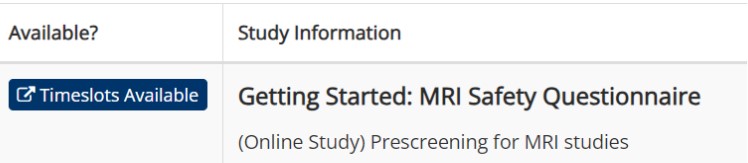
- Scroll to the bottom and select Sign Up. Completing this survey is imperative as it allows our team to gather detailed information about you to determine if it is safe to proceed with MRI scanning.

As this is an online form, there are no specific timeslots. You may fill this form out at your convenience, although you will not be eligible for any MRI studies until completion.
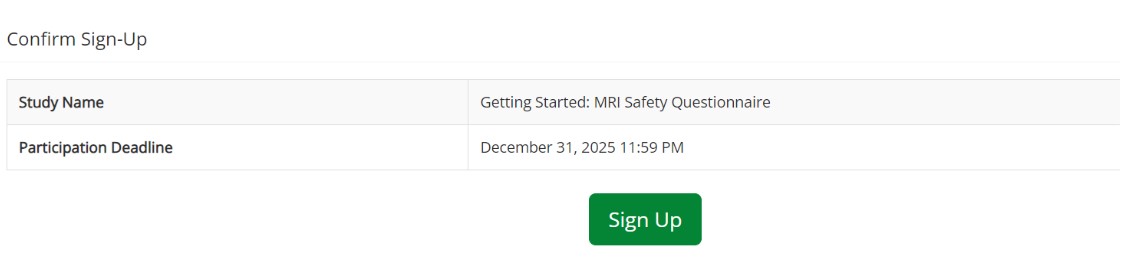
Confirm Sign Up You will be redirected to your confirmation page. Under the Website section, click Complete Survey Now when you are ready to complete the survey. You will be redirected to Qualtrics.com. Please respond truthfully. Do not leave out any important information. Having accurate information is for the safety of yourself and research staff.

Complete Survey You must complete the survey in its entirety to proceed. After submitting your responses, wait to be redirected to the Sona website. This is to ensure that the system successfully granted you credit for completing the form.
Please wait until the BrainWorks team reviews your responses. We will promptly update the information on your user account if you are eligible for MRI studies; you will then be able to sign up for any that are available (barring any other specific study restrictions).
Onboarding
Some studies are only available to participants who complete the steps below.
To help make sure you’re a real person, we encourage you to schedule a brief getting started call with a BrainWorks staff member. The staff member can also answer any questions you have about the Sona system.
- From the study list, go to Getting Started: Sona Onboarding Under the Available? column, select Timeslots Available.
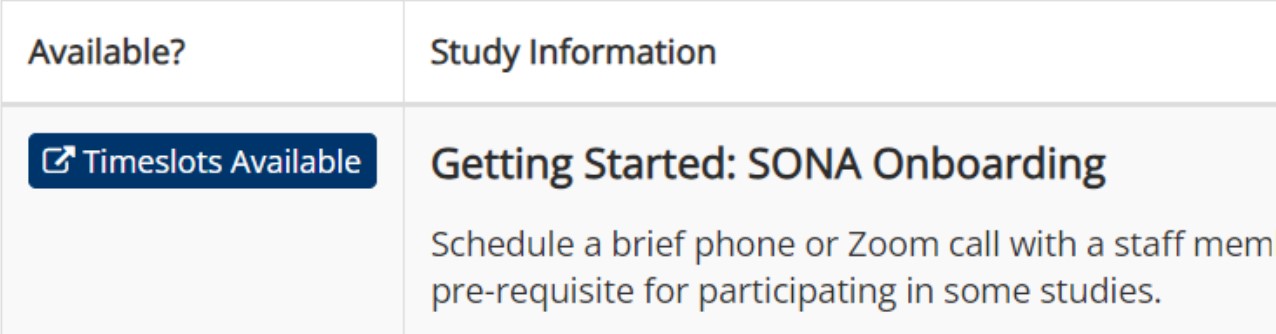
Scroll down and select View Time Slots for This Study.

- Please sign up for one of the timeslots where you will have a brief 5-minute chat with a member of the BrainWorks team via Zoom.
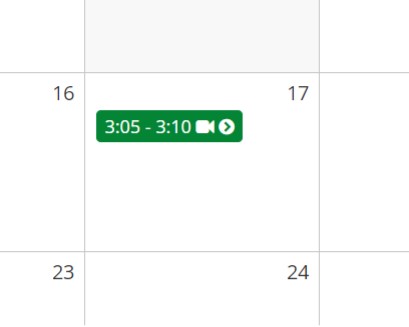
Click one of the green timeslots to sign up. On the following page, select Sign Up.
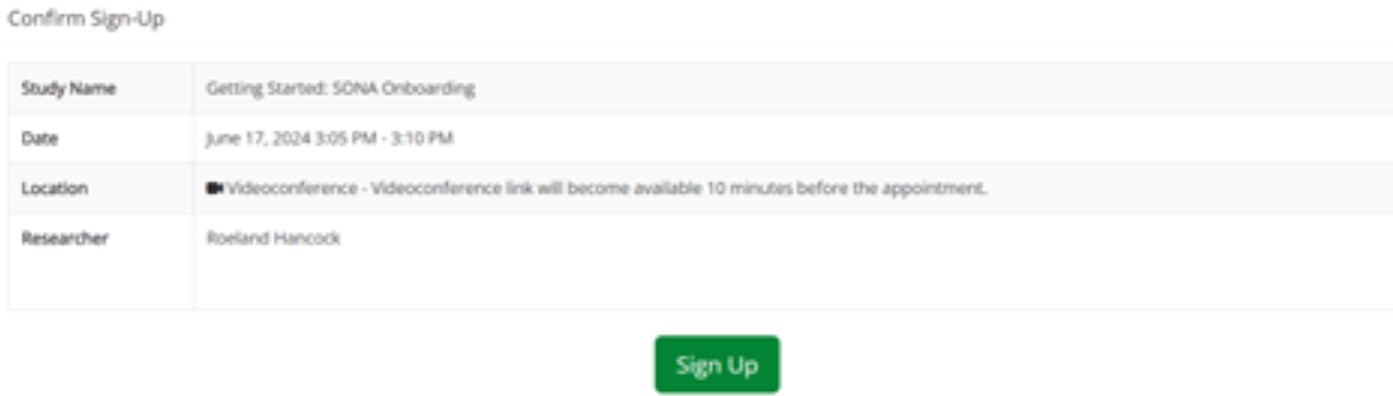
- After signing up for a timeslot, please be present for your Zoom call at that time. You will find this link on the study page under Website and View Study Website.
Thank you so much for taking the time to register! We are excited to work with you in conducting valuable research.
- After completing your call with a member of the team, they will note the completion in the system, allowing you access to certain studies.
